Training Manual — Day 2: Connect, ship and run
Back to the course overview.
Module 6: Integration#
Key points#
- Connection: a named external system (database, REST, SOAP, SFTP, object store, AMQP, Kafka, SMTP). It holds names and non-secret settings, never secret values.
- Flow: variables, a trigger (webhook, schedule, queue, event, file), steps, edges. Mark a variable
sensitiveif it must not appear in run history. - Policy: how callers authenticate to an exposed flow.
- Runtime: in-app or Hub; the designer says what each does not support.
- Secrets: minted or pasted write-only into the vault; never shown again.
- Run history and replay: one run is one trace; replay runs the deployed flow again from the first step with recorded inputs, after you acknowledge every side effect.
Lab 5 — Look up a rate#
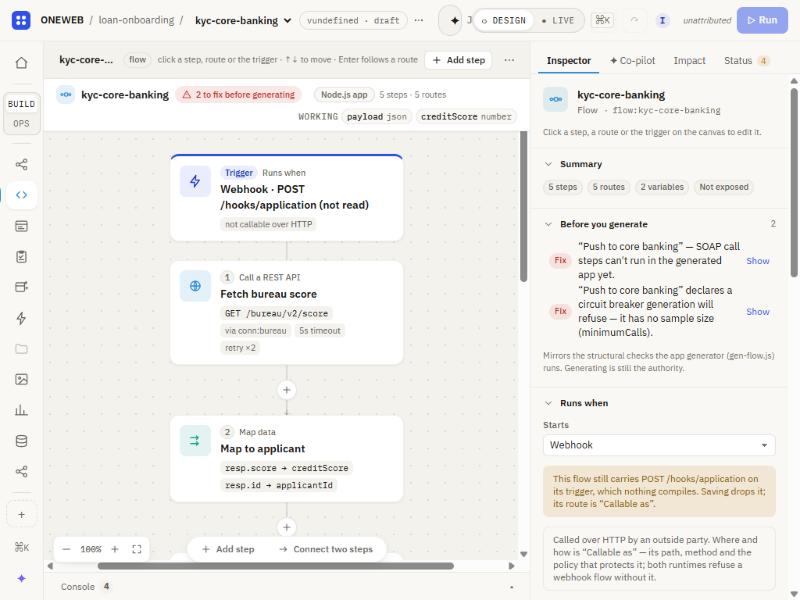
New things are made from the Integration designer's inspector, in the section at the bottom named New flow, connection or API policy: choose a Kind (Flow, Connection or API policy), give it a Name, then Create.
- In that section choose Kind: Connection, Name
rates, Connects to REST API (HTTP), and press Create connection. The Connection opens with "Not configured yet". - In its settings, Base URL variable takes the name of an environment variable (for example
RATES_BASE_URL), not a URL: the value differs per environment and lives there. Leave Authentication as Not set/None for the mock, or pick API key header, Bearer token, etc. Press Save. Secrets per environment says the Connection has no vault path until its app is in a workspace; pasting a secret write-only is therefore not verified here. Confirm in a real training workspace that it shows "set" without revealing the value. - Same section, Kind: Flow, Name
get-rate, Starts when Called by a process, a page or another flow, Create flow. In Variables → Add variable, makecurrency(string, tick The caller supplies it (input)) andrate(number, tick Handed back to the caller (output)). The empty flow offers "What should this flow do first?" with Call a REST API, Query a database, Choose a path, Reply to the caller. - Choose Call a REST API: Name
Fetch rate, Connection (a picker; it lists Only http-kind connections and, for a Connection made in the UI, may show its generated id rather than the name), Method GET, Path/rates/{currency}("relative to the connection's base URL"; a{name}is filled from that variable). Press Add step. Then map the reply intorate(not verified: how the reply is mapped; look at a Map data step after it). - Expose it (webhook) with a Policy of your choice from the trainer: open Callable as, set Method, Path and Protected by. (not verified.)
- Run it from the designer; open the run in the run list and find the step.
- Find a variable that would show as
***and say why.
Check questions#
- Why is a secret never stored in a Connection?
- What must you do before replaying a run with a side effect?
- Which trigger kinds run only on the Hub?
Trainer notes#
Module 7: Identity and security#
Key points#
- One Keycloak realm per organisation; login is OIDC with PKCE.
- Workspace roles carry verbs (
view,edit,promote,approveProd,manageConnections,manageMembers…). The Workbench dims a control unless you hold the verb in the right scope. - Work parties in a process become realm roles when the app is deployed.
- Row policies limit which rows a user sees; one that cannot be enforced returns 503, not all rows.
- Residency: which regions an environment may use, checked at deploy.
- Step-up MFA for admin actions is available per app. Pipeline gates (G0–G9) can be required per environment.
- Four-eyes: someone other than the author approves.
Lab 6 — Why is it dimmed?#
- In People & access, view your own role and its verbs.
- Open the Deployment Center. Is Deploy enabled? Read the reason if not.
- Ask a neighbour to grant you
promote(or have the trainer do it) and observe the change. - In the Data model, open an Entity's row policy and read, don't change, one example.
Check questions#
- What does a dimmed Save button tell you?
- Why does a grant on one app not answer a workspace-wide question?
- What happens if a row policy cannot be enforced?
Trainer notes#
Module 8: Generate, deploy and operate#
Key points#
- Generate writes
generated/<app>atomically; it refuses under a livenext dev. It does not generate secrets or.env.localhand lines. - Deployment Center: Plan (units, changes, steps, blockers, digest) → Start (re-plans; refuses if the digest moved) → a deployer runs steps: databases, build, migrate, identity, processes, flows, rollout, health.
- Environments: each has a target (local, Kubernetes, OpenShift), addresses, bindings, approvals.
- Four-eyes on deploy: off by default in Dev, on elsewhere.
- Rollback returns to what served before, never a rebuild.
- Operations consoles are read-only apart from confirmed replay/delete. The Work Portal is where cases are handled.
A step appears only when the release has something for it (a release with no process has no processes step), and a decision-runtime step may sit between flows and rollout.
Lab 7 — Ship it#
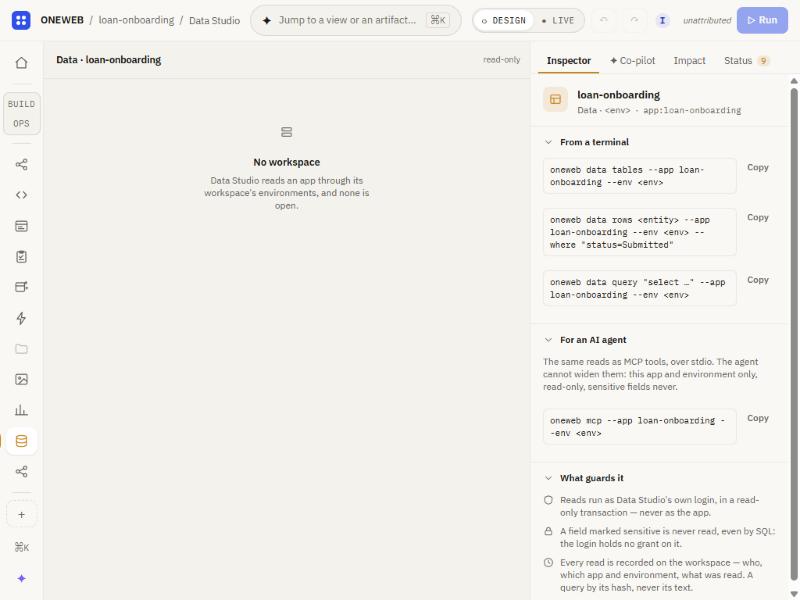
Open the Environments tab; confirm Dev has no unset items in Runtime setup.
In the app's Access tab, pick the first member of each work party (yourself, for the lab).
Open the Deployment Center, select your app and Dev. Read the plan: units, steps, blockers.
Resolve blockers by the names shown. Start the run.
Watch the steps; read one log line.
Open the app's Work Portal, + Start a case, enter a customer, complete the first task.
What the learner sees: the start form, the task screen and the Completed list are pictured in Part 7 §7.7. A new task is Unclaimed; press Claim this task before completing it.
Open Operations and find your flow run.
Press rollback in dry-run mode if offered and read what it would do.
Check questions#
- Why does the plan carry a digest?
- Why does identity run before the process deploy?
- What does rollback do, and what does it not do?
Trainer notes#
Module 9: Veda and good practice#
Key points#
- Veda proposes compositions across designers through the same typed tools; you review, approve or undo; each change records who or what made it.
- AI is not a bypass: permissions, four-eyes and residency still apply.
- Habits: small compositions; read refusals; use real data in tests; never edit
generated/; keep secrets out of artifacts; check impact before deleting. - Where to learn more: the documentation, the glossary, the support channel.
Exercise#
Ask Veda to add a field to your customer Entity. Review the proposed composition, approve it, find it
in the history marked as AI-made, then undo it.
Check questions#
- How can you tell a change was made by Veda?
- Can Veda deploy to Prod without approval?
Module 10: Capstone and assessment#
Brief#
Build Mini Onboarding in your training workspace. Required:
| Element | Minimum |
|---|---|
| Entity | applicant with at least five fields and a primary key |
| Form | Entry Form on the Entity, with validation and a formatted number |
| Glossary | One term bound to a Decision input or output |
| Decision | Two rules with passing tests |
| Process | Entry task, gateway driven by the Decision, two outcome tasks |
| Integration | One Connection and one Flow called or exposed |
| Delivery | Generated, deployed to Dev, one case completed |
Rubric (20 points)#
| Criterion | Points |
|---|---|
| Works end to end (a case completes) | 6 |
| Uses the Glossary and Decision correctly | 4 |
| No hand edits; everything via designers | 3 |
| Permissions and secrets handled correctly | 3 |
| Can explain one refusal they hit and how they fixed it | 4 |
15 or more passes. Then take the 20-question quiz.